How to Add a META Description & Keywords
To access the Page Properties of the Homepage, please follow the below steps:
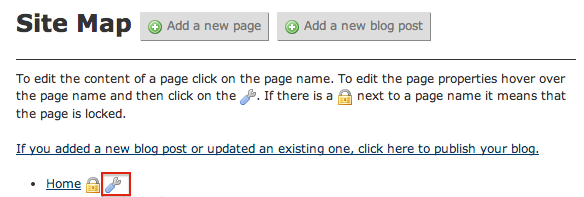
- When logged into the website, click on the wrench icon from the Site Map
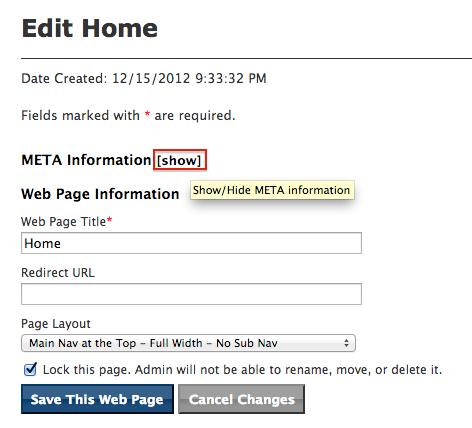
- Click on [show]
- Paste in the description in the META Description field
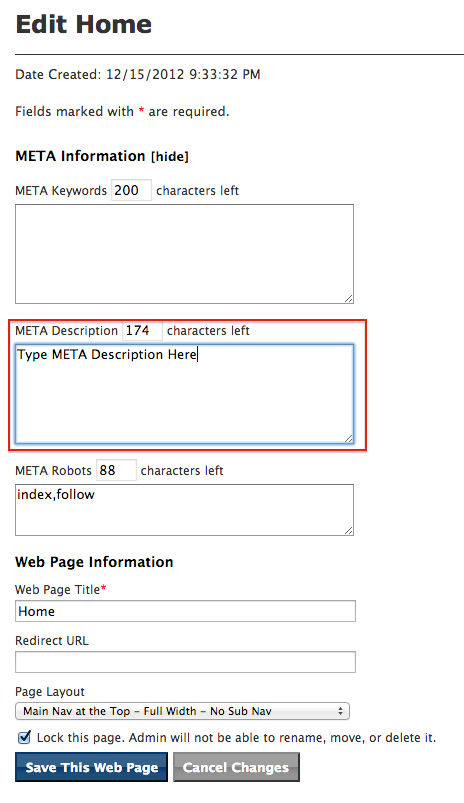
- Click "Save This Web Page"
What is a META Description?
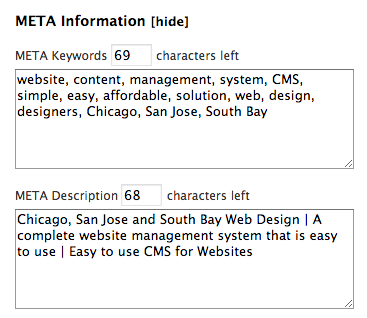
A META Description is a short description summarizing the content on a page and cannot exceed 200 characters. Please note that we append the META Description to the Page Title of your website which gives you extra key word SEO (Search Engine Optimization) value for your pages.
When there is no META Description entered for a page, the CMS automatically appends the META Description from the homepage behind the scenes to this page.
Please remember that we recommend each page to have its own unique META Description and META Keywords.
Key words should be separated by commas.
Using the Robots META Tag
To request that search engines such as Google remove their index of a webpage and all of its content and images, add the following text to the Robots META tag:
noindex,nofollow,noarchive,noodp,noimageindex