Creating Lists
 Numbered List
This allows you to create a numbered list.
- Line one
- Line two
- Line three
Properties
If you want to change the list properties, place your mouse inside your list and then right click. A context menu will appear:
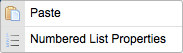
Select "Numbered List Properties". A popup window called "Numbered List Properties" will appear:
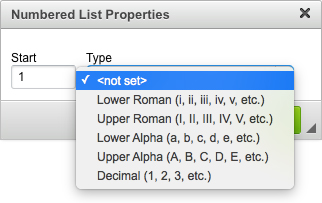
- Start: the number which you'll put into this field will determine from which number your list will start.
- Type: you may choose from several options regarding what type of listing you want to use. For example, you can choose "Large Roman Numerals".
To deactivate this function press the ENTER button twice or press the "Insert/Remove Numbered List" button.
 Bulleted List
This allows you to create a list with dots (also called "Discs"). It works exactly like the Numbered List but instead of numbers you have dots.
- Line one
- Line two
- Line three
Properties
If you want to change the list properties, place your mouse inside your list and then right click. A context menu will appear:
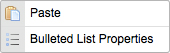
Select "Bulleted List Properties". A popup window called "Bulleted List Properties" will appear:
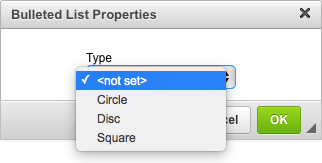
- Type: you may select the type of the dots you use in your list. For example you can select between a Circle, Disc (dot) or Square.
To deactivate this function press the ENTER button twice or press the "Insert/Remove Bulleted List" button.