Add an Anchor Link
 Sometimes pages can be quite long. You may decide to place a link on top that will bring a user down the page.
- Rollover the text module where you want to create a link to "jump" to. A yellow bar will appear. Select the “Edit” icon (paper and pencil).
- Place your cursor in the beginning of the content where you want to link to. Click the “Insert/Edit Anchor” icon. A popup window will appear.
- Type in a name for the “Anchor”. Note: It is best to use a name that is lowercase with no spaces.
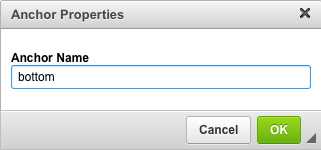
- Click “OK”.
- Click “Save this content”.
- Rollover the text block where you would like the link. A yellow bar will appear. Select the “Edit” icon (paper and pencil).
- Highlight the text and click the “Insert/ Edit Link” button (
 chain with green plus sign). A popup window will appear.
 - In the “URL” text box type in “#” then the name of the anchor”.
Example: #bottom.
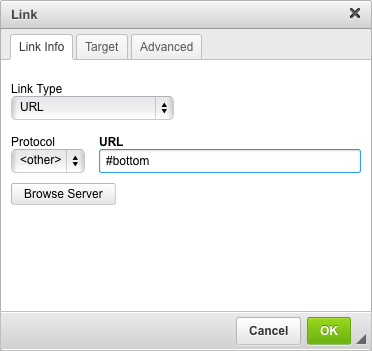
- Click “OK”.
- Click “Save this content”.